Google Webmaster Tools Explained
Google Webmaster Tools helps you to identify issues with your site and can even let you know if it has been infected with malware (not something you ever want to see, but if you haven’t spotted it yourself, or had one of your users tweet at you to let you know, it’s invaluable).
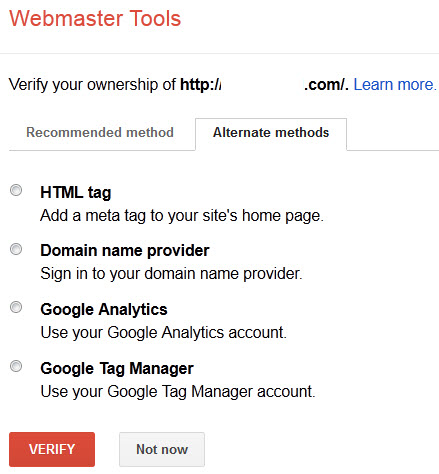
There are five main methods of verification currently in place for GWT.
There’s no real preference as to which method you use, although the first two tend to be the most commonly used as they’ve been around for longer.
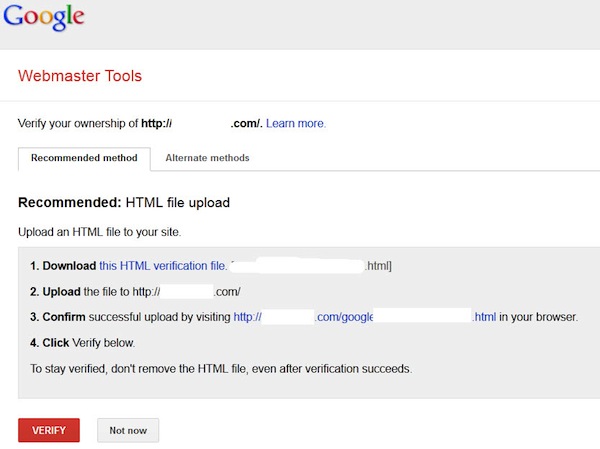
- The HTML file upload. Google provides you with a blank, specially named file that you just have to drop in the root directory of your site. Once you’ve done that, you just click on the verify button and you’ll have access to your GWT data for this site.
- HTML tag. Clicking on this option will provide you with a meta tag that you can insert into the head of your home page. Once it’s there, click on the verify button to view your GWT data. One item to note about using this method of verification is that it’s possible for the tag to be accidentally removed during an update to the home page, which would lead to a revocation of the verification, but reinserting the tag and clicking verify again will fix that.
- Domain Name Provider. Select your Domain Name provider from the drop-down list and Google will give you a step-by-step guide for verification along with a unique security token for you to use.
- Google Analytics. If the Google account you’re using for GWT is the same account as for GA (assuming you’re using GA as your analytics solution), is an admin on the GA account, and you’re using the asynchronous tracking code (with the code being in the head of your home page), then you can verify the site this way.
- Google Tag Manager. This option allows you to use the Google Tag Manager to verify your site.
The Dashboard
Now that you’re verified, you can log in and start to examine the data for your site.
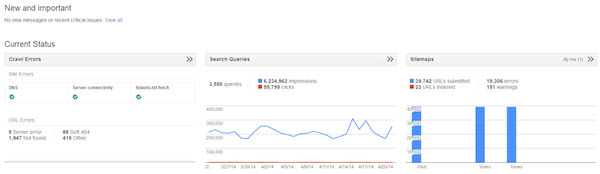
The first screen you’ll see is the dashboard. This gives you a quick view into some of the more pertinent information for your site, along with any new messages from Google. We’ll cover each of the widgets shown here in their own sections.
Site Messages
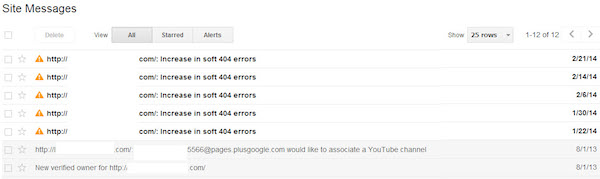
When Google wants to communicate with a webmaster, this is the place they’ll do so. There may be messages that inform you that you have pages infected with malware, that they’ve detected a large number of pages on your site, which may be an indication of other problems, or even just an informational message that your WordPress installation really needs to be updated to remove the possibility of anyone exploiting already known security holes in that platform.
Not all messages are bad. There’s also the possibility that you’ll get one that congratulates you on an increase in traffic to one or more of your pages.
Settings
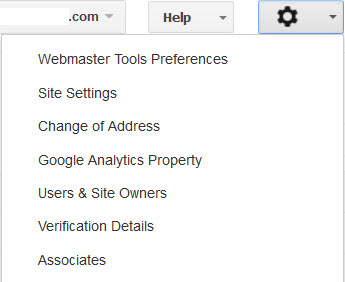
Clicking on the gear icon in the top right gives you access to the tools that formerly resided in the Configuration menu item.
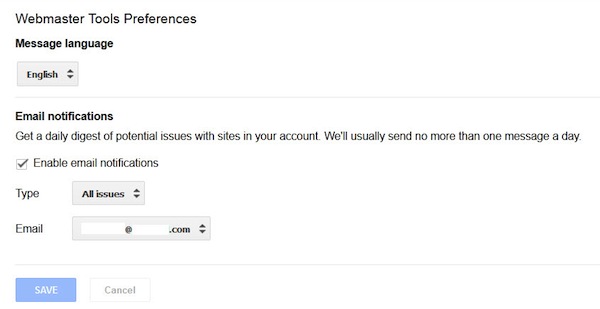
Webmaster Tools Preferences
Here you can specify whether you’d like to receive a daily digest of your messages, and the email account you’d like them sent to.
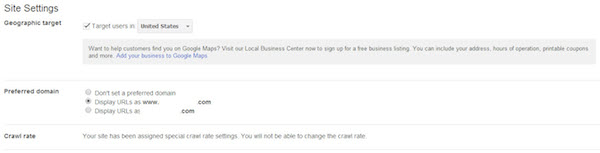
Site Settings
Here you can tell Google some things about your site if you’re not able to tell them in other ways.
For example, if you have a .com site, hosted in Duluth, but it’s targeted to the UK, there aren’t too many signals to the search engines that that’s your intention. In this tab you can set your geographic target to the UK, which informs Google of your intentions for this site.
You can also set your preferred domain – whether you want the site to show up in the search results with the www or without the www. Most sites will redirect from one to the other, or contain canonical tags, which will preclude the need for setting this here, but if you don’t have that capability, this is your way to tell Google.
The crawl rate option allows you to slow down the rate of Google’s spider’s crawl. You’d only really do this if you witnessed server issues due to Google’s crawling, for the most part you’re going to let Google figure out what the correct crawl rate is for your site based on how frequently you add and update content.
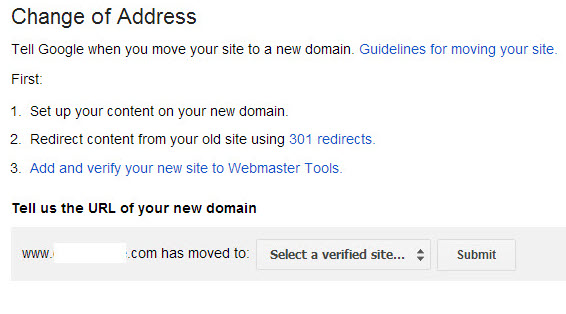
Change of Address
If, on the rare occasion that you would do so, you decide to migrate your entire site to a new domain, this is where you let Google know.
Once you’ve set up your new site, permanently redirected the content from your old site to your new using a 301 redirect, added and verified your new site on GWT, then you come to this option and inform Google of the move.
This should help the index to be updated slightly more quickly than if Google were to just self-detect and follow the 301s.
Google Analytics Property
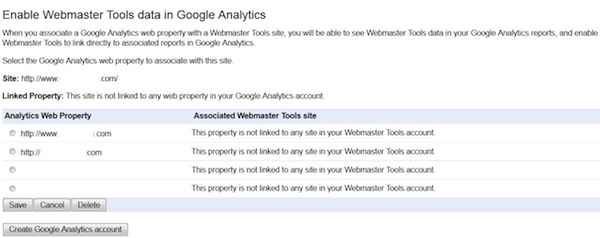
If you’d like to be able to see your GWT data in Google Analytics (GA), you can use this tool to associate a site with a GA account. Simply select any currently linked GA account to associate it with this site. Should you not have a GA account, you have the option to create one here.
Users & Site Owners
Here you can see a list of all authorized users on the account, and their level of authorization. A new user can be added here if needs be.
Owners have permission to access every item on the site.
Users with “Full” permission can do everything except add users, link a GA account, and inform Google of a change of address.
Users with “Restricted” permission have the same restrictions as those with “Full” permission plus the following: they only have viewing capabilities on configuration data, cannot submit sitemaps or request URL removals, cannot submit URLs, cannot submit reconsideration requests, and only have the capability to view crawl errors and malware notifications (they can’t mark any of them as fixed).
Verification Details
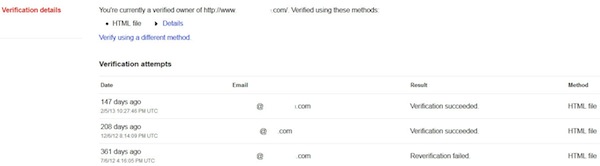
This lets you see any verification issues/successes.
Associates
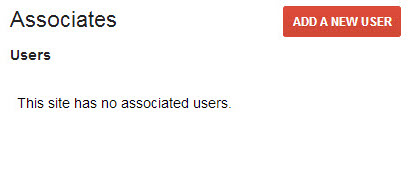
This section allows you to associate different Google accounts with your GWT account, so that they can be designated as officially connected to the account/site. They can’t see any data in GWT, but they can perform actions on behalf of your site (e.g., creating an official YouTube account for the site, or posting to Google+ on behalf of the site through an associated account).
To add an associate user, simply:
- Click on the “Add a new User” button.
- Enter the email address that’s associated with the account you’re associating.
- Select the type of association you want.
- Click “Add.”
To associate a Google+ page, if it’s the same account on GWT and Google+, you’re done. If you’re using different accounts:
- Navigate to the Google+ page.
- Click on the profile button on the left.
- Click “About” in the links section.
- Add a link to the site.
Search Appearance
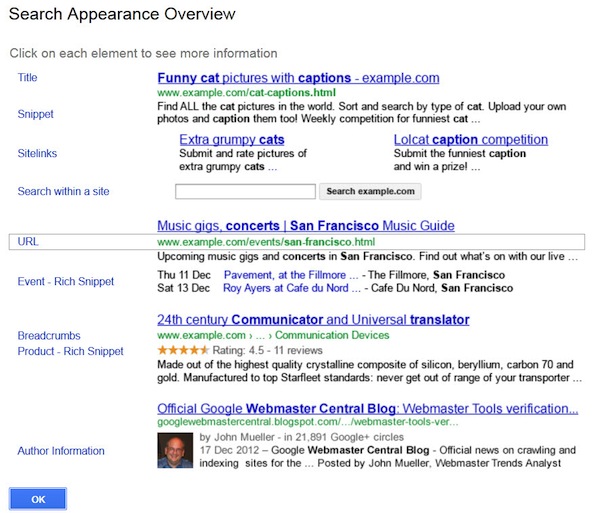
Clicking on the ? icon to the right of this menu option delivers a nice breakdown of the various elements of a search engine results page (SERP).
Structured Data
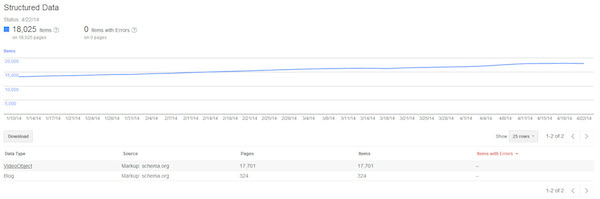
Here you can see information about all structured data elements that Google’s located on your site, whether they’re from schema.org or older microformats.
Data Highlighter
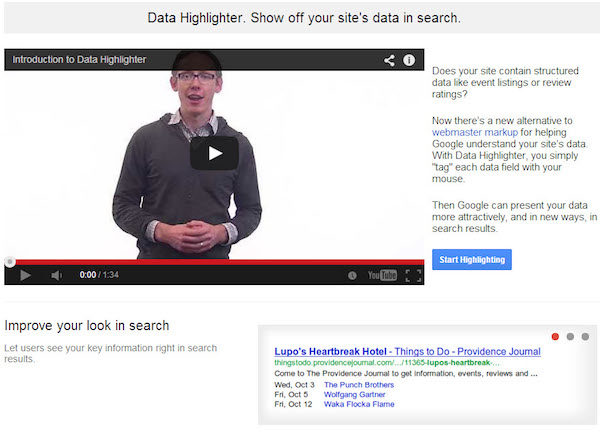
The data highlighter allows you to help Google identify some types of structured data on the pages without the need for the code to actually be implemented.
HTML Improvements
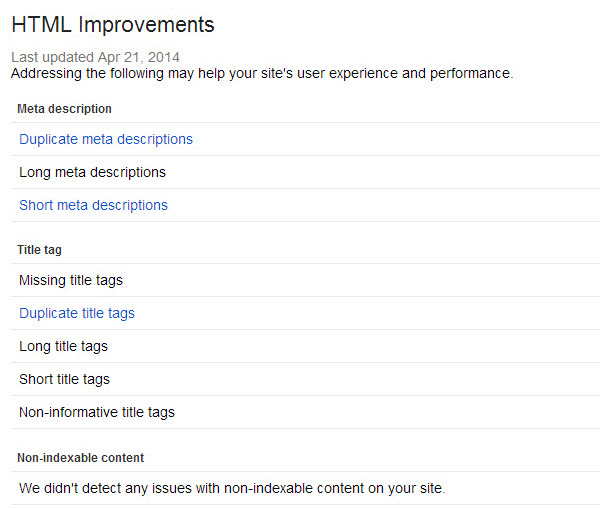
Here is where GWT will inform you of issues with your title and description tags. As titles and descriptions should be unique for each page and should be within certain character length ranges, this section points out where you have issues that can and should be corrected.
For example, if all of your tag pages have the same description, then you aren’t telling the search engines much about what is on those pages.
Clicking through on any of these errors will give you a more descriptive overview of the error and will also give you a list of pages where the error was detected.
Sitelinks
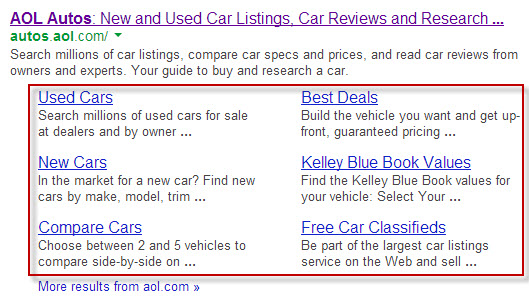
Whenever Google determines that your site is an authority for a particular keyword they’ll show a collection of links below the main link, pointing to what they believe to be the most important links on that page. From time to time they’ll show a link that you don’t particularly want to be surfaced, and this is where you’ll correct that issue.
While you can’t specify the actual pages that you want to display in the sitelinks (that would be far too open to abuse), you can specify which pages you want removed. Simply enter the URL of the page with the sitelinks (not always just the homepage), and then type in the URL of the sitelink that you want to be removed.
Note that the erroneous URL may then precluded from displaying in the sitelinks for a certain period of time, but may return at some point in the future (any time after 90 days from your last visit to the sitelinks page) if it still appears to be an important link on that page, so you may want to periodically review your sitelinks. Also note that Google has now placed a limit of 100 on the number of demotions you can have active for a particular site.
Search Traffic
Search Queries
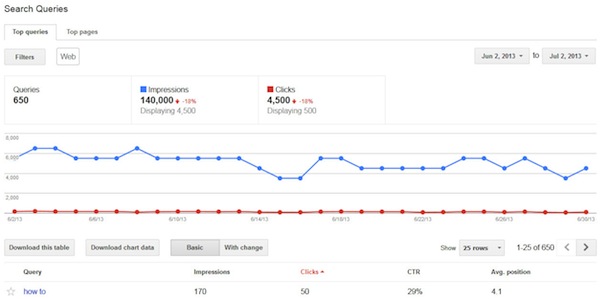
Here you can get an overview of the top keywords that returned a page from your site in the search results. Note the data shown here is collected in a slightly different way from your analytics platform, including GA, so don’t expect the number to exactly tally.
What this does is give you an idea of the top traffic-driving keywords for your site, the number of impressions and clicks, and therefore the click-through rate (CTR), and the average position that your page was ranking for that particular query.
You can also view the same data by page rather than by keyword. This shows you the top traffic-generating pages on your site, and perhaps helps you identify those that you should concentrate on optimizing, as a high traffic generator in 11th position would be a much higher traffic generator in eighth.
Links to Your Site
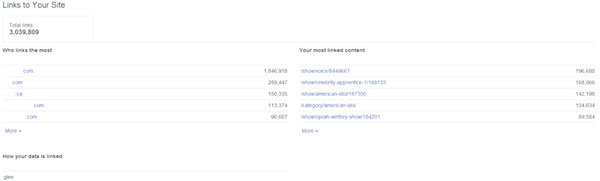
This section identifies the domains that link to you the most, along with your most-linked-to content. While you most likely won’t see every link that Google’s found for your site, you will see more than if you went to google.com and performed a search for “link:yoursite.com.”
Internal Links
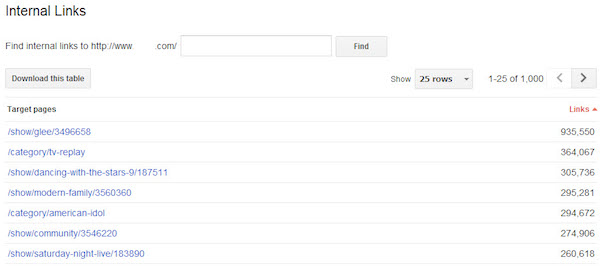
Here you can see the top 1,000 pages on your site sorted by the number of internal links to those pages. If you have a small number of pages on your site, you can reverse the sort order by clicking on the Links header.
Any pages that show zero internal links have been orphaned and should either be linked to from somewhere on your site, or redirected to an appropriate page if they’re old legacy pages.
Manual Actions
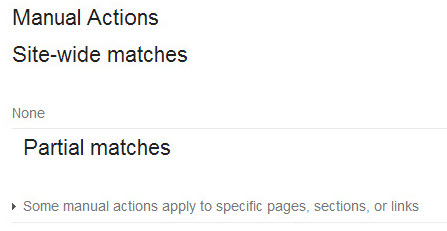
Here’s where Google will inform you of any site-wide or section/page specific manual penalties that they’ve applied to your site.
Google Index
Index Status
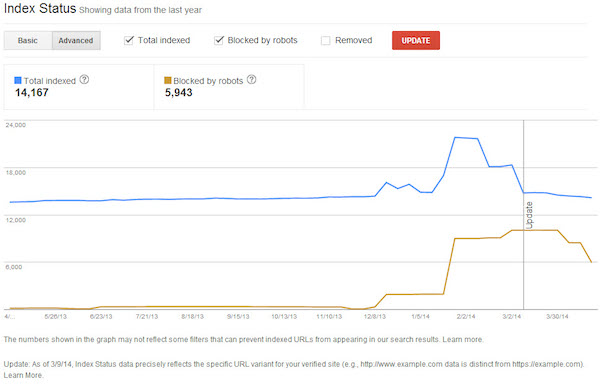
The Index Status allows you to track the status of your site within the Google index. How many pages are they showing as being indexed? Are there any worrying trends? Have you accidentally blocked large sections of your site from Googlebot? This is a great place to get the answers to those questions and more.
Content Keywords
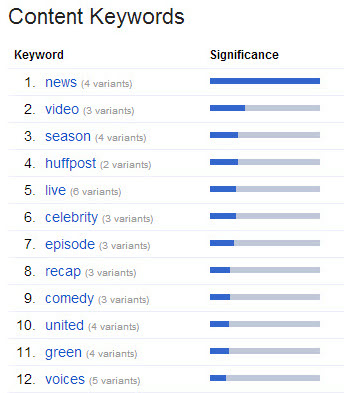
This section displays the most common keywords found by the Google crawler as it navigated your site. One thing to keep an eye on here is if you see unexpected, unrelated keywords showing up, that’s usually an indication that your site may have been hacked and hidden keywords have been injected into your pages.
Remove URLs
If you receive a cease and desist letter from an attorney demanding that you remove a page from your site, if you accidentally break a news embargo, or release an obituary while the person is still breathing, you’ll most likely want to get that page out of Google as soon as possible.
The first step is to either remove the page itself or 301 it elsewhere so that it can’t be crawled and indexed. This prevents users and crawlers from getting to it, but the URL will still be in the index, and the page can still be found in the cache. That’s where this tool comes in.
Enter the URL that you want to remove, click continue, then select whether you want it removed from the search results and the cache, just from the cache or if you want an entire directory removed. Clicking Submit Request adds it to the removal queue. Typically this request will be processed in two to 12 hours.
Crawl
Site Errors
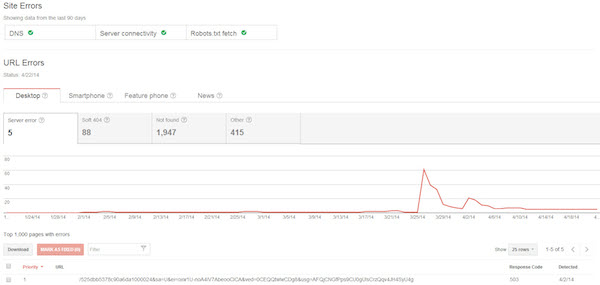
Here’s where you find out about the errors that Google has detected when crawling your site over the past 90 days. This is an invaluable tool as it can absolutely help you identify a variety of issues on your site, from server errors to missing pages, and errors in between.
GWT shows you the number of errors, lists the pages, and shows a graph of your count over time for that particular error so you can see whether it’s been a gradual change or a more sudden occurrence (perhaps a code push caused unforeseen errors with a section of the site that no one noticed).
This section should be a frequent port of call, as you keep an eye out for any new issues that could be impacting the crawling of your site. If your site has either a mobile presence or is in Google News, you will see tabs dedicated to any crawl errors specific to those products.
Crawl Stats
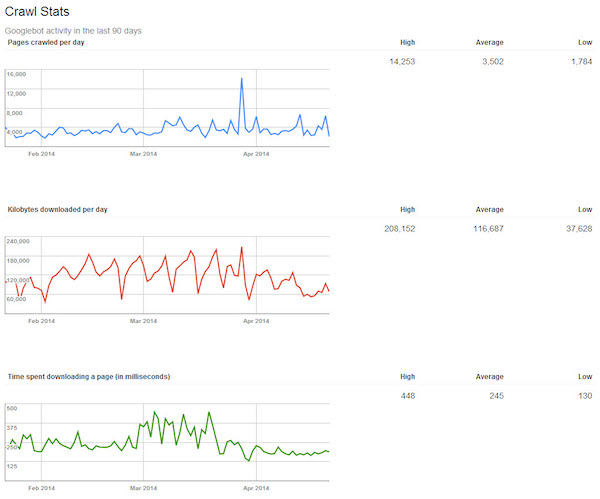
The crawl stats section gives you an idea of how fast the crawlers are able to read pages on your site. Spikes are to be expected here, but if you see a sustained drop in pages crawled, or a sustained spike in time spent downloading a page, or in the size of a page, then that’s an indication that you should take a look and see what’s changed on your site – perhaps you added a new partner module that’s created a bigger than expected addition to the footprint on your site.
Fetch as Google
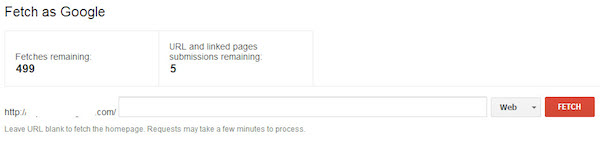
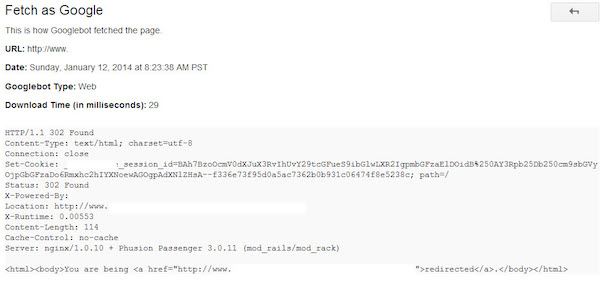
Here is where you can basically view your pages as Google sees them. They’ll return the HTTP response, the date and time, and the HTML code, including the first 100kb of visible text on the page.
This is a great way of verifying that the Google crawler sees the page as you expect it to (remember the crawler is supposed to see the same page as the user would see), and that there are no externally injected hidden links on the page.
If the page looks how you expect it to, then you can submit it to the index. You are allowed 500 fetches/submissions a week, and 10 linked page submissions per week (submitting a page and all pages linked from it at the same time).
Blocked URLs
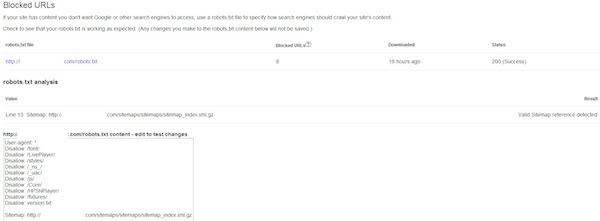
This section is the place to test out your current robots.txt against any pages on your site to verify whether they can be crawled or not. You can also test out modifications to your robots.txt to see whether they’d work as you anticipate against various pages on your site.
Sitemaps
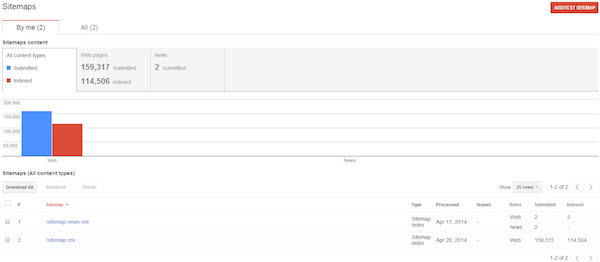
Here’s where you can access all of the information about the sitemaps that GWT has been informed of. To test a sitemap, click the add/test sitemap button, and GWT will inform you if the sitemap appears to be valid. If it is, then simply add the sitemap using the same procedure, except clicking the add sitemap button.
Note that the default view here is to only show the sitemaps that you have added. To view those that have been added by other authorized users on the account click the “all” tab.
The page shows you the sitemaps that you’ve submitted, the number of pages they found in each, and the number of those pages that they’ve indexed. You can also see quite clearly if there are any issues that they’ve detected within your sitemaps. Simply click on the warnings hyperlink to view them all.
URL Parameters
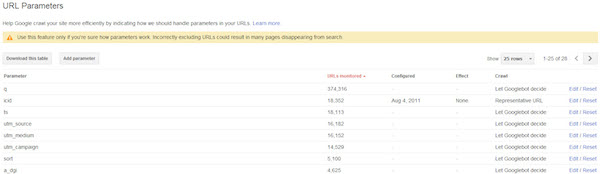
With the introduction and use of canonical tags, this feature isn’t used as much as it used to be. What it does is that it allows you to specify URL query string parameters that shouldn’t be considered when examining URLs on the site to determine unique URLs.
For example, if you had a tracking parameter that you use for a particular campaign, then the page is obviously the exact same page as when it’s reached without the tracking parameter. Entering the tracking parameter in here tells Google that they should ignore the tracking parameter when looking at the URL.
Security Issues
If Google has detected any malware or other security issues on your site, this is where they’ll list it out (it will also appear in the messages section). If you see a page here you’ll want to get it fixed as soon as possible and click on the “Request a Review” button that will be displayed here.
Other Resources
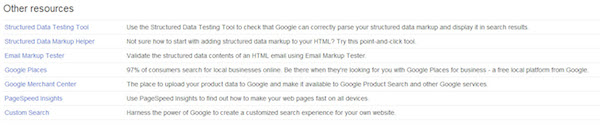
This section contains links to tools that are outside of GWT, but are of interest to webmasters, such as the Structured Data Testing tool, which enables webmasters to test their schema implementations, the Structured Data Markup Helper, and others.